


Everything you copy,
tucked away.
One flick from the notch and it’s all there, auto-sorted by type, every color named, nothing ever leaving your Mac.
It knows what you copied before you do
Copy a color, a link, a screenshot. Tucket’s already sorted it by the time you look. No folders, nothing to set up.
Yes, you can search inside your screenshots
Tucket reads the text in every image you copy, so “that screenshot with the error message” is actually findable now.
Keep the stuff that belongs together, together
Drop related clips into a board as you collect them, so a week of research doesn’t turn into fifty scattered items.
Turn a bunch of copied images into one moodboard
Grab a few as you go, select them, hit paste. They land as one laid-out board instead of a pile you arrange yourself.
Other features you might love
Few more things Tucket quietly does, smaller, but the kind of thing you’ll notice on day two.
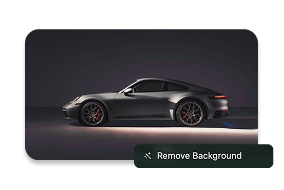
Remove the background with a single click
Right-click any image you’ve copied, click Remove Background & done. No Photoshop, no new tab, no waiting around.
Copy anything confidential, Tucket won’t save it
Keys, cards, passwords, caught and blocked automatically, before any of it ends up sitting in your history.
 Sensitive Content HiddenTap to Reveal
Nothing you copy ever leaves your Mac
It all runs locally, no server, no cloud. Keeping all your data, safe & secure.

Runs 100% on this Mac
↑ 0 KB sent · ↓ 0 KB received

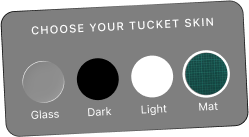
Pick a look that feels like yours
Four skins built in, glass, dark, light, a mat (my fav) & a lot more coming soon. Try them below.
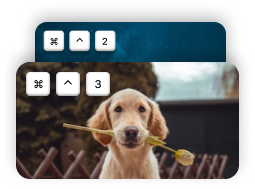
Paste your 3rd-to-last copy without opening anything
⌘⌃1 through 0 drops any of your last ten clips straight into what you’re doing.
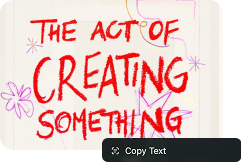
Copy text from any image
Tucket reads the text inside every screenshot you copy, so you can search it later, or lift the words straight back out.
Get Tucket for a Lifetime
One payment, no subscription, and you still get every update we ever ship. Try it for 10 days, and if it’s not for you, full refund, no questions asked.
Includes
 Every feature, unlockedAll future updates, free foreverRuns fully on-deviceNew skins and features as they ship10-day money-back guaranteeUse it on up to 3 Macs
10-day refund · MacOs 14 or later · Instant download


Before you download
The honest answers to the stuff you’d probably ask me directly.
Yes. $10 once, and it’s yours. No subscription, no renewal, nothing to cancel.
Go ahead, tuck it away.
One flick from the notch, for the rest of your Mac’s life.
10-day refund · MacOs 14 or later · Instant download