
Download Tucket
Get the latest version, then follow the steps below. It takes about a minute.
Version 1.4.3, released 1 November 2026. See what is new
macOS 14 Sonoma or later · Apple Silicon and Intel · Signed and notarized by Apple
How to install
- 1Open the file you downloaded.It is called Tucket-latest.dmg, and it is in your Downloads folder.
- 2Drag Tucket into Applications.The window shows both. Drop Tucket onto the Applications folder.Do not open Tucket from the download window. Drag it into Applications first, or it cannot update itself. If it already says Couldn’t check, here is the fix.
- 3Open Tucket.Find it in Applications. It lives in the menu bar at the top, not in the Dock.
- 4Allow Accessibility when asked.This lets Tucket paste a clip for you when you click it.
- 5Add your licence key.Open Settings, then License, and paste the key from your purchase email.
- 6Try it.Copy something, then press ⌘⌃V or move your mouse up to the notch.
Watch the setup
Installing Tucket and choosing your settings, start to finish.
Also free
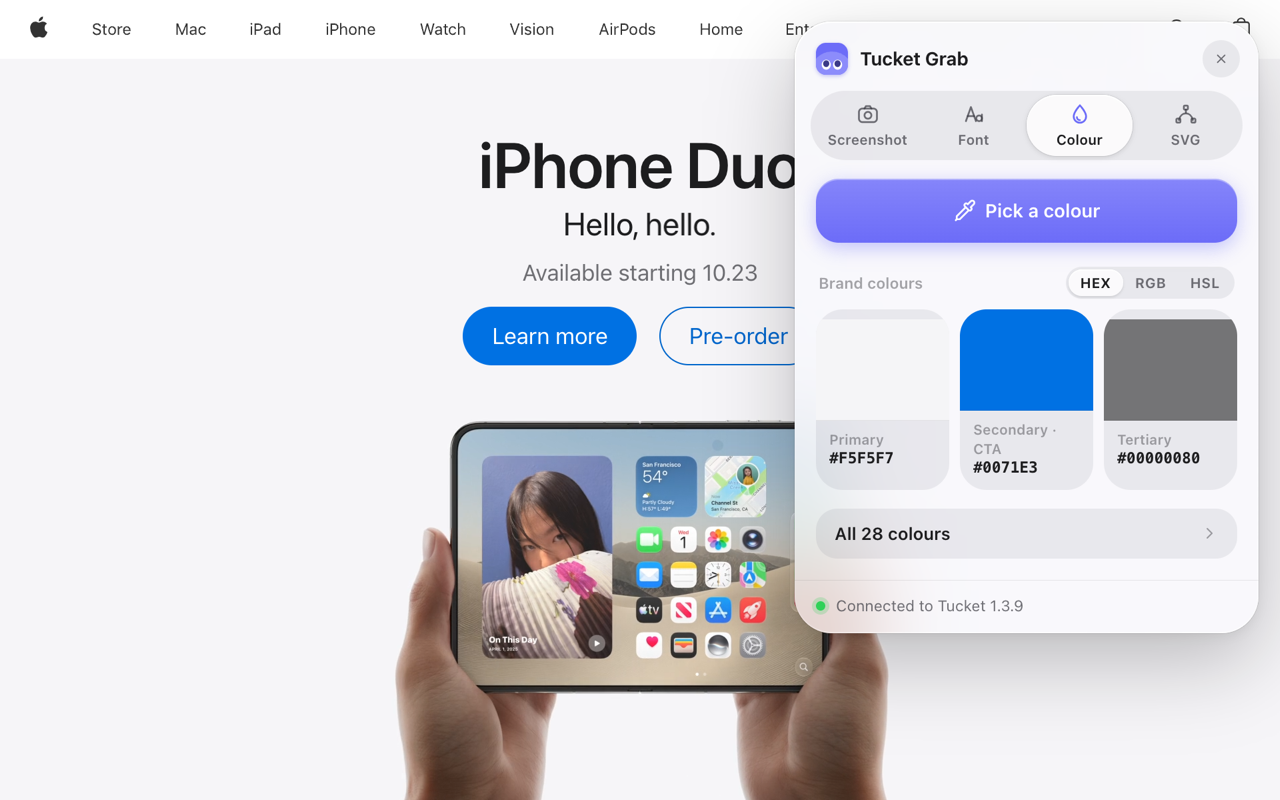
Everything designers take off a page, in one panel
Tucket Grab is the browser half of Tucket, and it costs nothing. Chrome, Brave, Edge, Arc and Vivaldi.
- Screenshots
- Colours
- Fonts
- SVGs
Works on its own. With Tucket 1.4.1 or newer, what you grab lands in your library, and Extract text and Remove background run on your Mac.
Already have Tucket? It updates itself, so you do not need to download it again. Stuck on a step? Read the install guide or email hello@arpitchandak.com.